Self-hosting n8n gives you unlimited workflow executions on hardware you control, for a flat monthly server cost instead of per-execution pricing. Your credentials and the data flowing through your automations stay on your machine. This guide sets up n8n with Docker, a Postgres database and automatic HTTPS, in about 30 minutes.
Using an AI coding agent? There's a ready-made prompt at the end of this guide, copy that instead of this article.
What you'll need
- A PrivateByte VPS. We recommend the Orbit plan ($7.99/mo: 2 vCPU, 4 GB RAM, 50 GB SSD). See the note below on sizing.
- A domain name you control, with access to its DNS. n8n needs a real hostname with HTTPS, webhooks won't work on a bare IP.
- About 30 minutes, and basic comfort with a terminal.
On sizing, honestly. Our cheapest plan is Flare at $5.99 (1 vCPU, 2 GB), and n8n will run on it for light single-user use with a handful of simple workflows. But you're running Docker, Postgres and n8n together, and any workflow that pulls a large API response into memory will push a 2 GB box into swap. Orbit at $7.99 is the size we'd actually recommend, and it's $2 more. If you're planning heavy workflows, large file handling, or queue mode with multiple workers, go to Comet (4 vCPU, 8 GB, $15.99).
Step 1: Deploy your VPS
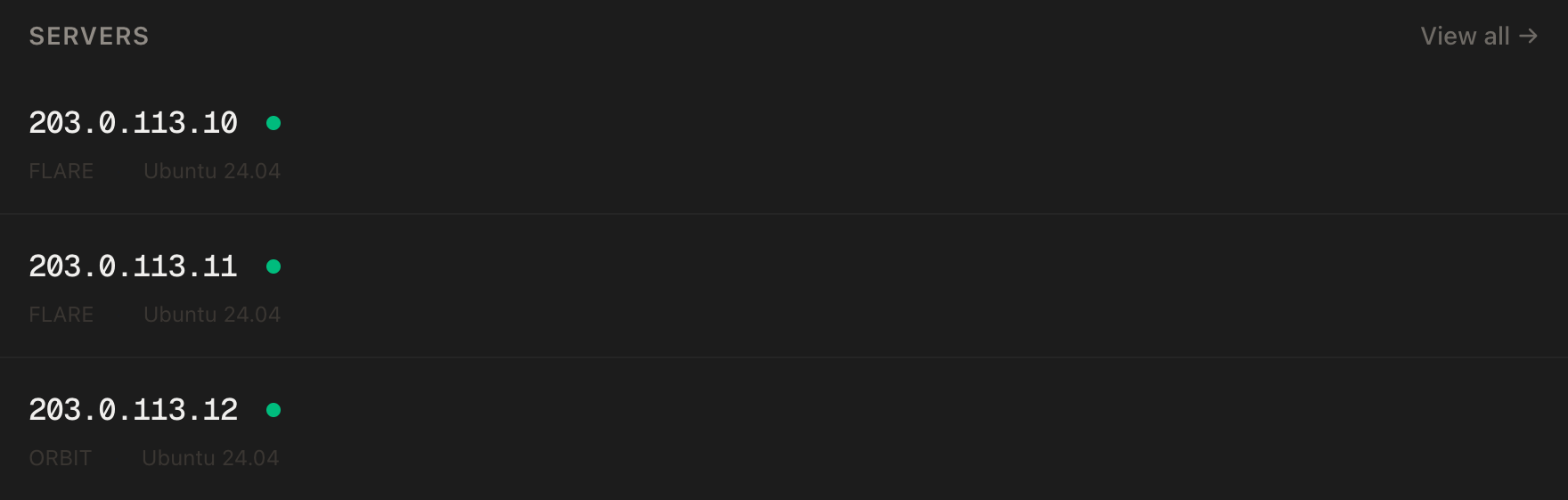
In the PrivateByte dashboard, open the store, choose the Orbit plan, pick Ubuntu 24.04, and deploy. Your server is ready in under 60 seconds.
Step 2: Point your domain at the server
Do this now, before installing anything, DNS takes a few minutes to propagate, and the HTTPS step later will fail if it hasn't.
In your domain registrar's DNS settings, create an A record:
| Type | Name | Value |
|---|---|---|
| A | n8n |
your server's IP |
That gives you n8n.yourdomain.com. Use whatever subdomain you like, just be consistent from here on.
Check it's live before continuing:
dig +short n8n.yourdomain.com
If that prints your server's IP, you're good. If it prints nothing, wait a few minutes and try again.
Step 3: Connect over SSH
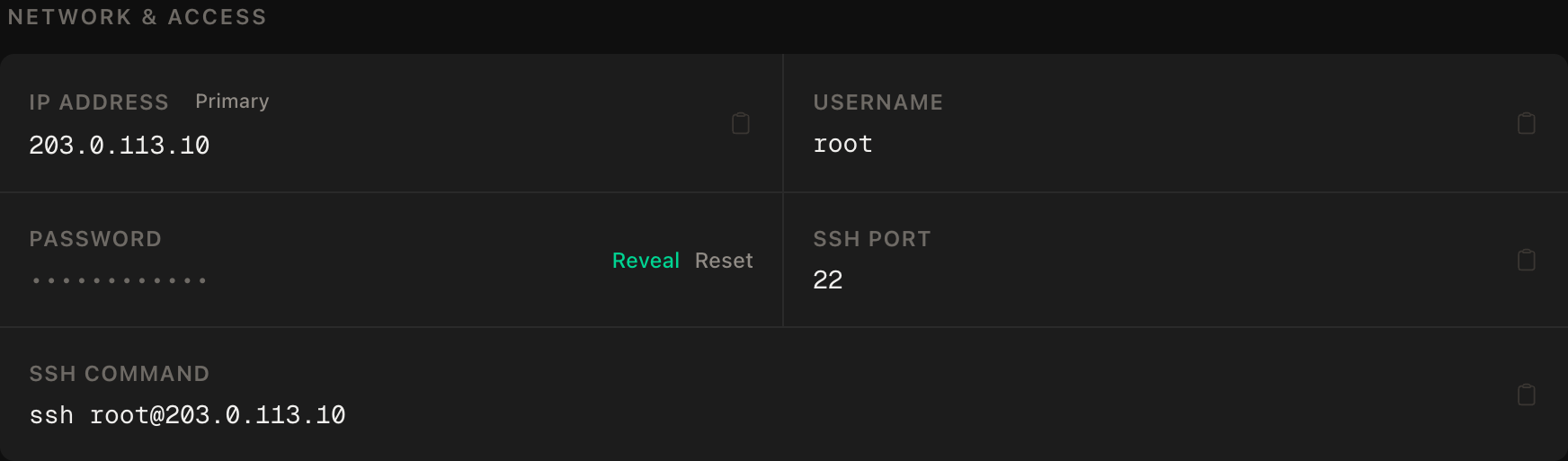
ssh root@YOUR_SERVER_IP
Windows users: PowerShell has ssh built in, or use PuTTY. The dashboard also includes a browser-based console if you'd rather not install anything.
ssh command.Step 4: Install Docker
sudo apt update && sudo apt upgrade -y
curl -fsSL https://get.docker.com | sudo sh
sudo systemctl enable --now docker
docker --version
Step 5: Set up the firewall
Allow SSH first, then the web ports, then enable. Getting this order wrong ends your session:
sudo ufw allow OpenSSH
sudo ufw allow 80/tcp
sudo ufw allow 443/tcp
sudo ufw --force enable
sudo ufw status
Note what's not here: port 5678, n8n's own port. n8n will only be reachable through the HTTPS proxy we set up in Step 7, never directly. An n8n instance exposed on a raw port is an open door to every credential stored in it.
Step 6: Create the environment file
mkdir -p ~/n8n && cd ~/n8n
nano .env
# --- your domain -----------------------------------------------------
DOMAIN=n8n.yourdomain.com
[email protected]

# --- database --------------------------------------------------------
POSTGRES_USER=n8n
POSTGRES_PASSWORD=CHANGE_ME_TO_A_LONG_RANDOM_STRING
POSTGRES_DB=n8n

# --- n8n -------------------------------------------------------------
N8N_ENCRYPTION_KEY=CHANGE_ME_TO_A_DIFFERENT_LONG_RANDOM_STRING
GENERIC_TIMEZONE=Europe/London
Generate both secrets properly rather than inventing them:
openssl rand -hex 32
Run it twice, use a different output for each.
N8N_ENCRYPTION_KEY is the one that matters. n8n encrypts every stored credential with it, API keys, OAuth tokens, database passwords, all of it. Lose this key and every credential in your instance becomes permanently unrecoverable; you re-enter all of them by hand. Back it up somewhere outside the server, today, before you store a single credential. A password manager entry takes thirty seconds and saves an afternoon.
GENERIC_TIMEZONE matters more than it looks. It's the timezone your Cron and Schedule nodes use. Leave it unset and n8n defaults to UTC, so "run at 9am" fires at 9am UTC, which is not 9am where you live for most of the year.
Lock the file down:
chmod 600 .env
Step 7: Write the Docker Compose file
nano docker-compose.yml
services:
  postgres:
    image: postgres:16-alpine
    restart: unless-stopped
    environment:
      POSTGRES_USER: ${POSTGRES_USER}
      POSTGRES_PASSWORD: ${POSTGRES_PASSWORD}
      POSTGRES_DB: ${POSTGRES_DB}
    volumes:
      - postgres_data:/var/lib/postgresql/data
    healthcheck:
      test: ["CMD-SHELL", "pg_isready -U ${POSTGRES_USER} -d ${POSTGRES_DB}"]
      interval: 10s
      timeout: 5s
      retries: 5

  n8n:
    image: docker.n8n.io/n8nio/n8n:latest
    restart: unless-stopped
    depends_on:
      postgres:
        condition: service_healthy
    environment:
      DB_TYPE: postgresdb
      DB_POSTGRESDB_HOST: postgres
      DB_POSTGRESDB_DATABASE: ${POSTGRES_DB}
      DB_POSTGRESDB_USER: ${POSTGRES_USER}
      DB_POSTGRESDB_PASSWORD: ${POSTGRES_PASSWORD}
      N8N_ENCRYPTION_KEY: ${N8N_ENCRYPTION_KEY}
      N8N_HOST: ${DOMAIN}
      N8N_PROTOCOL: https
      N8N_PORT: 5678
      WEBHOOK_URL: https://${DOMAIN}/
      GENERIC_TIMEZONE: ${GENERIC_TIMEZONE}
      N8N_RUNNERS_ENABLED: "true"
    volumes:
      - n8n_data:/home/node/.n8n

  caddy:
    image: caddy:2-alpine
    restart: unless-stopped
    ports:
      - "80:80"
      - "443:443"
    volumes:
      - ./Caddyfile:/etc/caddy/Caddyfile:ro
      - caddy_data:/data
      - caddy_config:/config

volumes:
  postgres_data:
  n8n_data:
  caddy_data:
  caddy_config:
Notice n8n has no ports: section. It's reachable only from inside the Docker network, Caddy is the only thing exposed. That's deliberate, and it's why Step 5 didn't open 5678.
Now the Caddy config, which is three lines because Caddy handles certificates automatically:
nano Caddyfile
n8n.yourdomain.com {
    reverse_proxy n8n:5678
}
Replace the hostname with your real one. Caddy reads this literally and won't pick it up from .env.
Step 8: Start it
docker compose up -d
docker compose ps
All three containers should show as running. Caddy requests a TLS certificate from Let's Encrypt on first start, which takes a few seconds:
docker compose logs caddy | tail -20
Look for a line about a certificate being obtained. If you see repeated failures, your DNS from Step 2 probably hasn't propagated yet, wait, then restart with docker compose restart caddy.
Verify it works
Open https://n8n.yourdomain.com in a browser. You should get n8n's Set up owner account screen with a valid padlock, no certificate warning.
Create your owner account. That account is the only way into your instance, so use a real password manager entry.
Then prove the pieces are actually wired together, rather than assuming:
docker compose exec postgres psql -U n8n -d n8n -c "\dt" | head
Tables listed means n8n is genuinely persisting to Postgres and not quietly falling back to a local SQLite file.
Build a two-node test workflow, a Manual Trigger into a Set node, and execute it. Then create one with a Webhook trigger, copy the production webhook URL n8n gives you, and hit it:
curl https://n8n.yourdomain.com/webhook/your-path
If that reaches your workflow, WEBHOOK_URL is correct. This is the check most guides skip, and webhooks are the single most common thing to be silently broken in a self-hosted n8n: the UI works fine while every external trigger fails.
Finally, confirm it survives a reboot:
sudo reboot
Wait a minute, then reload the site. restart: unless-stopped should bring everything back without you touching it.
Troubleshooting
Certificate errors, or the site won't load over HTTPS. Caddy couldn't complete the Let's Encrypt challenge. Check dig +short n8n.yourdomain.com returns your server's IP, confirm ports 80 and 443 are open in ufw status, and check docker compose logs caddy. Port 80 must be open. It's used for the challenge even though you'll browse on 443.
n8n loads but webhooks never fire. WEBHOOK_URL is wrong or missing. It must be your full public HTTPS URL with a trailing slash. Change it in .env, then run docker compose up -d to recreate the container. A plain restart won't pick up changed environment variables.
"Your license/credentials could not be decrypted". The N8N_ENCRYPTION_KEY changed. If you regenerated it after storing credentials, restore the original value. Without it those credentials are gone and must be re-entered.
Scheduled workflows run at the wrong time. GENERIC_TIMEZONE isn't set, or is set to a value n8n doesn't recognise. Use a full IANA name like Europe/London or America/New_York, not an abbreviation like GMT or EST.
Containers keep restarting, or the server becomes unresponsive. Almost always memory. Check with free -m and docker stats. If you're on a 2 GB plan and running real workflows, this is the sizing note from the top of this guide arriving in person. Upgrade to Orbit or Comet.
Postgres won't start after a reboot. Check docker compose logs postgres, then df -h. n8n's execution history grows steadily and fills the disk; set execution data pruning in n8n's settings.
Do it with an AI agent
If you'd rather hand this to Claude Code, Cursor, or another coding agent, don't paste the article at it. Articles are written for humans, and agents tend to skip the ordering and skim the warnings. Copy this instead, and run it from your own machine with your agent able to SSH out.
Prompt for an AI agent
You are helping me self-host n8n on a fresh Ubuntu 24.04 VPS, behind HTTPS, with
Postgres as the database.

FILL IN BEFORE YOU START:
- SERVER_IP = <your VPS IP from the PrivateByte dashboard>
- DOMAIN    = <the subdomain, e.g. n8n.example.com>
- EMAIL     = <email for Let's Encrypt>
- TIMEZONE  = <IANA name, e.g. Europe/London>

WHAT TO DO:
1. FIRST, before anything else, verify DNS: run "dig +short DOMAIN" and confirm it
   returns SERVER_IP. If it does not, STOP and tell me, the HTTPS step will fail
   and everything after it wastes time.
2. SSH to root@SERVER_IP. Confirm it's Ubuntu 24.04 before you change anything.
3. apt update && apt upgrade -y. Install Docker via https://get.docker.com and
   enable the service.
4. Firewall, in THIS EXACT ORDER:
       a) ufw allow OpenSSH
       b) ufw allow 80/tcp
       c) ufw allow 443/tcp
       d) ufw --force enable
   Do NOT open port 5678. n8n must only be reachable through the reverse proxy.
5. Create ~/n8n/.env with DOMAIN, EMAIL, POSTGRES_USER=n8n, POSTGRES_DB=n8n, a
   POSTGRES_PASSWORD, an N8N_ENCRYPTION_KEY, and GENERIC_TIMEZONE=TIMEZONE.
   Generate BOTH secrets with "openssl rand -hex 32", run separately so they are
   different values. chmod 600 the file.
6. Print the N8N_ENCRYPTION_KEY to me exactly once and tell me to save it in a
   password manager NOW. Explain that losing it makes every stored credential
   permanently unrecoverable. Do not continue until I confirm I have saved it.
7. Create ~/n8n/docker-compose.yml with three services: postgres:16-alpine (named
   volume, healthcheck on pg_isready), n8n (docker.n8n.io/n8nio/n8n:latest,
   depends_on postgres healthy, DB_TYPE=postgresdb, N8N_HOST=DOMAIN,
   N8N_PROTOCOL=https, WEBHOOK_URL=https://DOMAIN/, named volume for /home/node/.n8n,
   and NO ports section), and caddy:2-alpine (ports 80 and 443, Caddyfile mounted
   read-only, named volumes for /data and /config).
8. Create ~/n8n/Caddyfile containing DOMAIN { reverse_proxy n8n:5678 }.
9. docker compose up -d

RULES:
- The n8n service must NOT publish any port to the host. Only Caddy is exposed. An
  n8n instance reachable on a raw port exposes every credential stored in it.
- The ufw ordering in step 4 is not optional, enabling the firewall before
  allowing OpenSSH locks me out of my own server.
- Do not invent secrets. Generate them with openssl and show me the encryption key
  once so I can save it.
- Nothing destructive. If ~/n8n already exists or containers are already running,
  STOP and ask, do not overwrite an existing n8n installation.
- Do not set up any n8n workflows or credentials. That's mine to do in the UI.

VERIFY, AND SHOW ME THE OUTPUT OF EACH:
- "docker compose ps"          -> all three containers running
- "docker compose logs caddy | tail -20" -> a certificate was obtained, no repeated
  failures
- "curl -sI https://DOMAIN"    -> HTTP 200, and the TLS handshake succeeded
- "docker compose exec postgres psql -U n8n -d n8n -c '\dt'" -> tables exist,
  proving n8n is persisting to Postgres and not silently using SQLite
- reboot, wait 60 seconds, then "docker compose ps" and "curl -sI https://DOMAIN"
  again -> everything back up on its own

Do not tell me a step succeeded without showing the command output that proves it.
If a verification fails, stop and report the actual error. Do not retry silently
and do not improvise a workaround, especially around the firewall.
Two things in that prompt worth stealing for your own agent work. It checks DNS first, because everything downstream depends on it and finding out at the HTTPS step wastes the whole run. And it stops and waits for you to save the encryption key rather than assuming you'll read the summary afterwards, a step that is unrecoverable if skipped deserves a hard stop, not a warning.
Deploy your VPS
Self-hosted n8n is a genuinely good trade: a flat monthly server cost instead of per-execution pricing, unlimited workflows, and your credentials on your own machine rather than someone else's.
The Orbit plan is the size we'd actually recommend here. Our cheaper Flare plan runs n8n for light use, but Docker plus Postgres plus a workflow holding an API response in memory is a genuine squeeze on 2 GB, and $2 buys the headroom.
- Unmetered bandwidth, no overage
- Free DDoS protection
- Daily automated backups
- Browser console access
Common questions
How much does it cost to self-host n8n? $7.99/month on an Orbit VPS, with unlimited workflow executions. The comparison that matters is against per-execution cloud pricing, self-hosting gets cheaper the more you automate, the opposite of how hosted plans scale.
Do I need a domain name? Yes, in practice. n8n technically runs on a bare IP, but webhooks and most OAuth integrations require a real hostname with a valid HTTPS certificate. A domain costs about $10 a year and removes an entire category of problems.
How do I back up my n8n instance?
Two things: the Docker volumes (postgres_data and n8n_data), and your N8N_ENCRYPTION_KEY. A backup of the data without the key is useless, because every stored credential in it stays encrypted. PrivateByte takes daily automated backups of the whole server, but keep the encryption key somewhere separate too.
How do I update n8n?
docker compose pull && docker compose up -d from your ~/n8n directory. Read n8n's release notes first for anything marked as a breaking change, and take a backup before a major version jump.